
- AODA Compliance Audit
AODA Audit Checklist 2026: Free Download for Ontario Businesses
A structured self-assessment covering every major area of AODA compliance — from your website to your HR practices to your policy documentation. Identify your gaps, prioritize where to start, and brief an auditor on areas of concern.
Quantity Discounts
Price per course
6 to 20 courses
$20.95
21 to 50 courses
$17.95
51 to 200 courses
$13.95
201+ courses
Custom offer
Before commissioning a professional AODA audit, most organizations want to understand where they stand. This checklist lets you do exactly that — a structured self-assessment covering every major area of AODA compliance, from your website to your HR practices to your policy documentation.
Use it to identify obvious gaps, prioritize where to start, and brief an auditor on areas of concern. It is not a substitute for a professional audit, but it will tell you a great deal about your compliance status in under an hour.
Download the free AODA audit checklist
The full checklist is available as a PDF — formatted for printing, sharing with your team, and working through offline. 61 items across all five compliance areas.
How to use this AODA compliance checklist
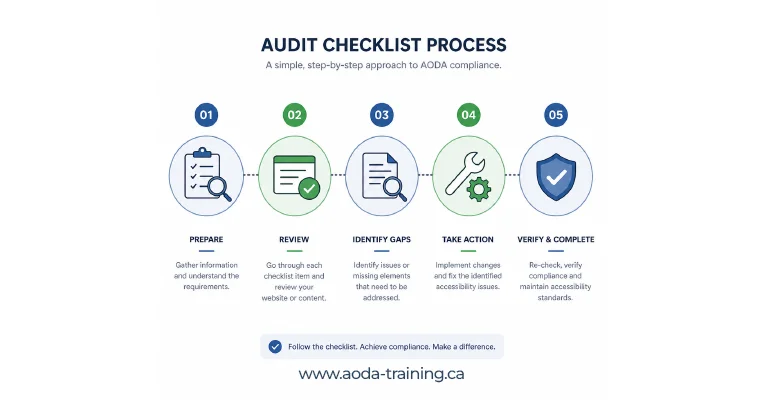
Work through each section with the relevant person in your organization: your web developer or IT team for the website section, HR or a manager for the employment section, your compliance lead or senior management for policies and documentation.
Mark each item as complete, in progress, or not started. Items marked “not started” are your compliance gaps. Items marked “in progress” need a deadline and an owner. The goal is not to achieve a perfect score on the first pass — it is to know exactly where you stand.
Customer Service + IASR training required. No mandatory records or reporting.
All of the above + compliance report required every 3 years.
All of the above + written policy, accessibility plan, training records, IAP process, return-to-work process — all mandatory.
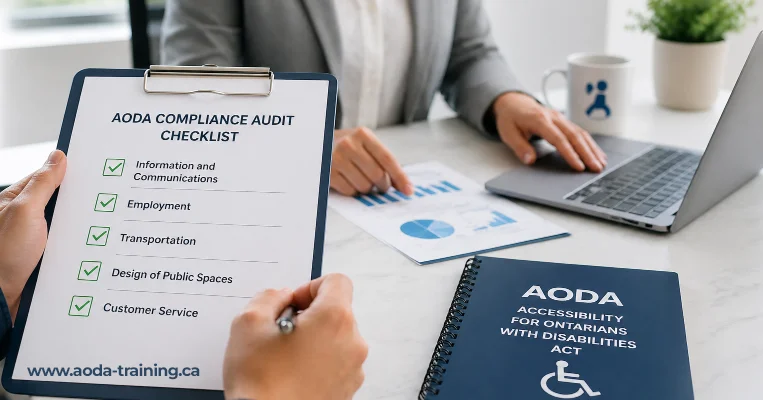
The AODA compliance audit checklist
- AODA Standards: All Five Standards Explained in Full
How to interpret your checklist results
Once you have worked through each section, you will have a picture of where your organization stands. Here is how to read what you find.
| Result | What it means | What to do next |
|---|---|---|
| All items complete in a section | Your organization is likely compliant in this area at the time of assessment | Document the date of assessment. Schedule a review in 12 months or when policies change. |
| 1–3 items not complete | Minor gaps that are unlikely to trigger enforcement on their own, but represent real risk | Assign an owner and a completion deadline for each gap. Address within 30–60 days. |
| 4–7 items not complete | Significant gaps. If a complaint or audit occurs, these will be found | Prioritize by impact. Consider a professional audit to get a full picture before filing any compliance report. |
| 8+ items not complete in a section | Substantial non-compliance. Immediate attention required | Commission a professional AODA audit. Do not file a compliance report until gaps are understood and addressed. |
- AODA Compliance Audit: Complete Guide for 2026
What a professional AODA audit adds that this checklist cannot
A self-assessment checklist tells you whether things are in place. A professional audit tells you whether they work.
Website: depth of testing
A checklist confirms that alt text exists. A professional audit confirms that the alt text is accurate and useful — not placeholder text, not filename dumps. It tests how a screen reader actually navigates your site, not just whether technical attributes are present.
Policies: substance, not just existence
A checklist confirms you have a written accessibility policy. A professional audit reviews whether the policy contains everything it needs to, whether it reflects current regulatory requirements, and whether it matches how your organization actually operates.
Training: records versus reality
A checklist confirms training records exist. A professional audit reviews whether the training covered everything it needed to, whether records are complete and properly formatted for audit purposes, and whether any groups were missed.
Employment: process versus practice
A checklist confirms a documented IAP process exists. A professional audit confirms the process meets the IASR's requirements, has been used when needed, and is accessible to employees who need it.
The most common AODA compliance gaps we find
Based on audit experience across Ontario organizations of all sizes, these are the gaps that appear most frequently — and the ones most likely to surface in a government audit or complaint investigation.
| Compliance area | Most common gap | Why it matters |
|---|---|---|
| Website | Keyboard navigation failures — interactive elements that cannot be reached or operated without a mouse | Prevents users with motor impairments, blind users using keyboard navigation, and switch access users from completing tasks |
| Website | Missing or meaningless alt text on images — absent, filename-based, or generic | Prevents blind users from accessing visual information. WCAG 1.1.1 failure — one of the most commonly cited in audits |
| Website | Colour contrast failures — text that is too light against its background | Affects users with low vision and colour blindness. Often widespread and requires design-level fixes |
| Training | No training records for staff hired in the past 2+ years | Makes it impossible to demonstrate compliance for any staff member without records. High-risk in government audits |
| Training | Training covers generic AODA content but not the organization's own accessibility policies | Specific policy content is a legal requirement under the Customer Service Standard, not optional |
| Policies | No multi-year accessibility plan, or a plan that was created once and never updated | Required for organizations with 50+ employees. An outdated plan demonstrates the organization has not actively managed compliance |
| Employment | Job postings and interview invitations do not include accommodation statements | A simple, low-cost requirement that is widely missed. Generates significant exposure under both AODA and the Human Rights Code |
| Documentation | Compliance report not filed, or filed without understanding what the declaration covers | Filing a false compliance report carries the same penalties as non-compliance. Organizations must actually be compliant before filing |
Frequently asked questions
Is this checklist sufficient to demonstrate AODA compliance?
- No. A self-assessment checklist documents your review of compliance items at a point in time. It does not carry the same weight as a professional audit report or verify that what is in place actually works. For organizations filing a compliance report, responding to a government audit, or addressing a complaint, a professional audit provides significantly stronger evidence of compliance.
How often should I run through an AODA compliance checklist?
- At minimum, annually — and whenever significant changes occur: a website redesign, a change in organizational size that crosses the 20 or 50-employee thresholds, an update to your accessibility policies, or following a complaint about accessibility. The checklist is most useful as a living document that your organization returns to regularly rather than a one-time exercise.
What should I do if the checklist reveals significant gaps?
- Prioritize the gaps by risk: website accessibility issues that prevent users from completing core tasks, missing training records, and absence of required policies carry the highest compliance risk. For significant gaps, particularly in the website section, commission a professional accessibility audit to get the full picture. Do not file an AODA compliance report before gaps are understood and addressed.
Does completing this checklist protect my organization from enforcement?
- Not in itself. Working through the checklist and documenting the results does demonstrate that your organization is actively managing its compliance obligations — which matters in enforcement contexts. But the protection comes from actually fixing the gaps the checklist identifies, not from having completed the checklist.
How is this checklist different from the government's compliance reporting tool?
- The Ontario government’s compliance reporting tool asks organizations to declare whether they have met specific AODA requirements. This checklist helps you assess whether those requirements are actually met before you make that declaration. It is a preparation tool, not a reporting tool.
Empower Your Team with Digital Accessibility
Ensure compliance, reduce legal risks, and build inclusive digital experiences.
Start AODA training for your team →Get the full checklist — free PDF download
The printable version includes all 61 items across all five sections, with checkboxes and space for notes. Formatted for team workshops, management review, and audit preparation.
- 61 checklist items across website, policies, training, employment, and customer service
- Scoring guide: how to interpret your results and what to do next
- Compliance report preparation notes for organizations with 20+ employees
- Printable PDF format — A4 and Letter sizes
- Gap summary template: record findings and assign owners
- Links to further guidance for each section