- 2026 Complete Guide
AODA Compliance Audit: Complete Guide for 2026
An AODA compliance audit examines whether your organization meets the requirements of the Accessibility for Ontarians with Disabilities Act — covering your website, policies, training records, and employment practices.
Quantity Discounts
Price per course
6 to 20 courses
$20.95
21 to 50 courses
$17.95
51 to 200 courses
$13.95
201+ courses
Custom offer
An AODA compliance audit examines whether your organization meets the requirements of the Accessibility for Ontarians with Disabilities Act. For Ontario businesses, this means checking your website against WCAG 2.0 Level AA standards, reviewing your policies and documentation, assessing your employment practices, and identifying any gaps before the Ontario government does.
$100,000/day
Maximum fine for non-compliant organizations
$50,000/day
Personal liability for directors and officers
What is an AODA compliance audit?
An AODA compliance audit is a structured assessment of your organization’s current accessibility status against the requirements of AODA and its associated standards. It identifies where your organization meets those requirements, where it falls short, and what steps are needed to close the gaps.
A thorough AODA audit covers more than your website. The Act spans five standards and a complete audit examines all of the standards that apply to your organization.
| Audit area | What is examined | Applies to |
|---|---|---|
| Website & digital accessibility | WCAG 2.0 Level AA compliance: colour contrast, keyboard navigation, alt text, heading structure, form accessibility, video captions, screen reader compatibility | All organizations with websites (1–49: content since Jan 2014; 50+: all public-facing content) |
| Customer Service Standard | Written accessibility policy, staff training records, feedback process, service disruption notification procedures | All Ontario organizations with 1+ employee |
| Employment Standard | Accessible recruitment process, Individual Accommodation Plan process (50+), return-to-work process, accessible employment information | All Ontario employers with 1+ employee |
| Information & Communications | Accessible document formats, accessible formats available on request, emergency procedure information in accessible formats | All Ontario organizations with 1+ employee (phased deadlines) |
| Policies & documentation | Written accessibility policy, multi-year accessibility plan, compliance report filings, training records | Varies by organization size |
A website accessibility audit checks your site against WCAG 2.0 Level AA. A full AODA compliance audit covers your website plus your policies, training records, employment practices, and documentation. Many organizations start with a website audit and expand from there. Both are valuable — but a website-only audit will not tell you whether your organization is fully AODA compliant.
Who needs an AODA compliance audit?
Organizations that should audit immediately
- Organizations that have received a complaint about their accessibility — an audit demonstrates good-faith effort to identify and address gaps
- Organizations that have been notified of a government review or compliance inspection
- Organizations whose compliance report is due and who are not confident they meet current requirements
- Organizations that have recently launched or significantly redesigned their website without an accessibility review
- Organizations that have grown past the 50-employee threshold and now face additional obligations they may not have assessed
Organizations that should audit immediately
- Any organization with a public-facing website — WCAG requirements have been in force for years and enforcement is increasing
- Organizations that last conducted an audit more than two years ago — digital content changes and new issues accumulate over time
- Organizations undergoing significant website redesign or replatforming
- Organizations in regulated sectors (healthcare, education, financial services) where accessibility obligations intersect with sector-specific regulations
AODA website compliance requirements
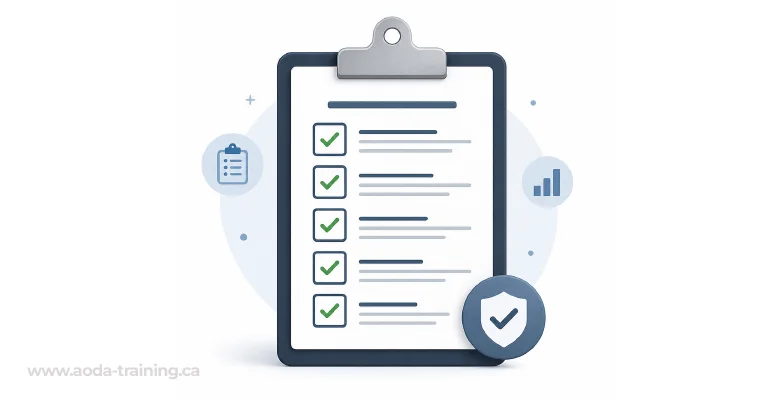
Website accessibility is the most technically complex part of AODA compliance and the area where most organizations have gaps. The Information and Communications Standard requires websites to meet WCAG 2.0 Level AA — a set of 50 success criteria organized around four principles.
| WCAG principle | What it means | Common failure examples |
|---|---|---|
| Perceivable | Information must be presented so users can perceive it regardless of their sensory abilities | Images without alt text, videos without captions, content that only uses colour to convey meaning |
| Operable | Users must be able to navigate and interact with all interface components | Menus that cannot be operated by keyboard, carousels with no pause control, forms with time limits |
| Understandable | Content and interface behaviour must be predictable and understandable | Inconsistent navigation, error messages that do not describe the problem, jargon without explanation |
| Robust | Content must be interpreted reliably by a wide range of user agents, including assistive technologies | HTML that breaks screen readers, ARIA attributes used incorrectly, custom components without proper roles |
How an AODA compliance audit works: step by step
A professional AODA compliance audit follows a structured process. The steps below reflect how a thorough third-party audit is typically conducted — whether by an external accessibility consultant or an internal compliance team.
-
1
Scoping
Define what the audit will cover: which website pages, which AODA standards, which organizational policies. For large websites, a representative sample is agreed before testing begins. For full organizational audits, the scope includes HR documentation, training records, and policy documents.
- 2
Automated scanning
Automated tools scan the website for accessibility issues. Tools like axe, WAVE, Lighthouse, and Deque's WorldSpace identify approximately 30–40% of WCAG failures—those that can be detected without human judgment. Automated scanning is fast and consistent but cannot identify all issues.
- 3
Manual testing
A human tester evaluates the site against all WCAG criteria that automated tools cannot assess.
- 4
Assistive technology testing
The site is tested using screen readers to verify a functional experience for blind users.
- 5
Policy and documentation review
Accessibility policies, training records and compliance documentation are reviewed.
- 6
Reporting
A detailed report documents issues, severity and remediation guidance.
- 7
Remediation support (optional)
Providers may review fixes, retest issues and provide ongoing monitoring.
AODA audit checklist: what a compliant organization looks like
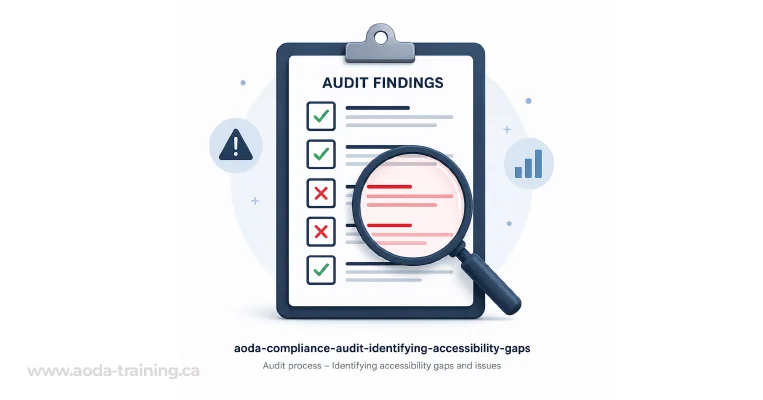
Use this as a quick self-assessment before commissioning a formal audit. Any “no” answer represents a compliance gap.
Accessibility audit tools: what auditors use
Professional AODA audits use a combination of automated scanning tools and manual testing techniques. Automated tools alone catch only 30–40% of WCAG failures — the majority of accessibility issues require human judgment to identify.
| Tool | Type | What it finds | Limitation |
|---|---|---|---|
| axe DevTools | Automated (browser extension + API) | WCAG A and AA failures detectable by rule: missing alt text, colour contrast, landmark structure, ARIA errors | Cannot assess reading order, cognitive accessibility, or whether alt text is meaningful |
| WAVE (WebAIM) | Automated (browser extension) | Visual overlay of errors, alerts, and structural elements — good for quick page-level review | Same category limits as axe; overlays can be confusing on complex pages |
| Lighthouse (Google) | Automated (Chrome DevTools) | Accessibility score with categorised issues; useful for developer workflows | Scores can be misleading — a 90+ score does not mean WCAG AA compliant |
| NVDA + Firefox | Assistive technology (screen reader) | Real user experience for blind users: heading navigation, link lists, form announcements, live region behaviour | Requires trained tester; findings depend on tester knowledge |
| VoiceOver + Safari | Assistive technology (screen reader) | Apple platform testing; differences between AT/browser combinations matter | Some WCAG issues manifest differently across platform combinations |
| Colour Contrast Analyser | Manual tool | Precise colour contrast ratio measurement for foreground/background combinations | Only measures colour — does not assess other perceivability issues |
For organizations with fewer than 10 employees and straightforward customer service operations, the free government module is a reasonable starting point. For businesses that are growing, have multiple locations, or need to demonstrate compliance through auditable records, a paid platform is the more defensible choice.
AODA compliance audit cost
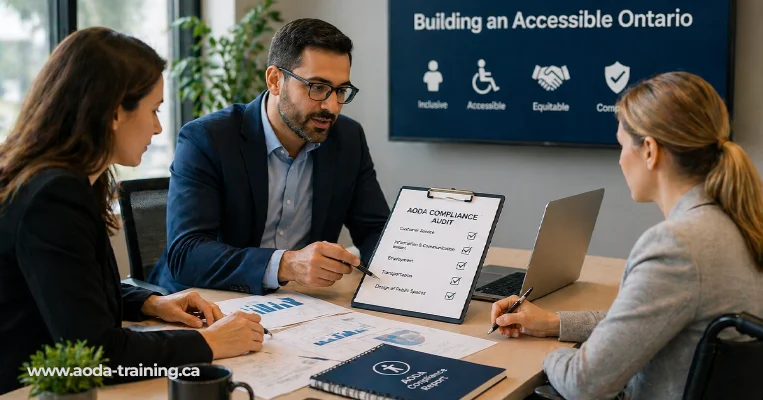
Audit costs vary significantly based on the scope, the size of the website, and the depth of testing required. Here is a realistic range for each type of engagement.
These ranges reflect typical market rates in Ontario as of 2026. Always request a scope-specific quote rather than relying on published ranges.
What happens after an AODA audit
An audit report is only useful if it leads to action. Here is how to move from findings to compliance.
Prioritise by impact and severity
Critical issues — those that prevent users with disabilities from accessing key content or completing core tasks — should be addressed first. Issues affecting high-traffic pages have greater immediate impact than those on obscure pages.
Assign ownership
Accessibility remediation touches multiple teams: developers fix code issues, content editors fix alt text and link text, marketers fix PDF documents, HR updates policy documents. Assign each finding to the right owner.
Set a realistic timeline
A complex website with hundreds of issues cannot be fixed in a week. Set a remediation timeline that reflects the volume and complexity of findings. Document the timeline so you can demonstrate good-faith progress.
Prevent new issues
Remediation fixes existing problems. Preventing new ones requires process changes: accessibility checks in your design and development workflow, training for content editors on accessible writing.
Retest and document
After remediation, retest the fixed pages to confirm issues have been resolved correctly. Document the retest results. This creates an evidence trail showing your organization identified issues and addressed them.
Industry-specific priorities
Healthcare, education, eCommerce, government, financial services, and hospitality each have distinct audit priorities. Understanding your sector's specific compliance risk profile shapes where to focus first.
Frequently asked questions
Is an AODA compliance audit legally required?
- There is no legal requirement to commission a third-party audit. However, Ontario organizations with 50 or more employees must file an accessibility compliance report every three years, and that report is a legal declaration of compliance. If your organization files a report without being confident in its compliance status, it is taking a legal risk. An audit before filing is the most defensible approach.
How long does an AODA compliance audit take?
Can we conduct an AODA audit internally?
What is WCAG 2.0 Level AA and why does it matter for AODA?
What happens if the government audits our organization?
How often should we audit for AODA compliance?
Empower Your Team with Digital Accessibility
Ensure compliance, reduce legal risks, and build inclusive digital experiences.
Start AODA training for your team →Book your AODA compliance audit
Whether you need a website-only accessibility audit, a full organizational AODA compliance review, or ongoing monitoring between audits, our audits are conducted by experienced accessibility specialists, delivered as actionable reports your development and compliance teams can work from directly.
- Automated scanning across all key pages using axe and WAVE
- Screen reader testing with NVDA and VoiceOver
- Training records assessment and gap report
- Manual WCAG 2.0 Level AA testing by trained accessibility specialists
- Policy and documentation review (full AODA audit option)
- Prioritized remediation report with WCAG references and code-level recommendations