
- AODA Compliance for Small Businesses in Ontario
- AODA Compliance Audit
AODA Compliance for Small Businesses in Ontario: A Plain Guide
Small businesses in Ontario have real AODA obligations. Learn exactly what applies to you, what you can skip, the most common gaps, and the practical steps to get compliant.
Quantity Discounts
Price per course
6 to 20 courses
$20.95
21 to 50 courses
$17.95
51 to 200 courses
$13.95
201+ courses
Custom offer
If you run a small business in Ontario, AODA applies to you. There is no headcount minimum that exempts you from the Accessibility for Ontarians with Disabilities Act. The moment you have one employee, the law applies.
What changes with size is the scope of what you are required to do, the documentation you must keep, and the reports you must file. A business with three employees has lighter obligations than one with sixty. But lighter is not the same as none.
This guide is written specifically for small Ontario businesses. It tells you exactly what applies to you based on your headcount, what the most common compliance gaps are, and the practical steps to close them without making it more complicated than it needs to be.
AODA Obligations by Business Size
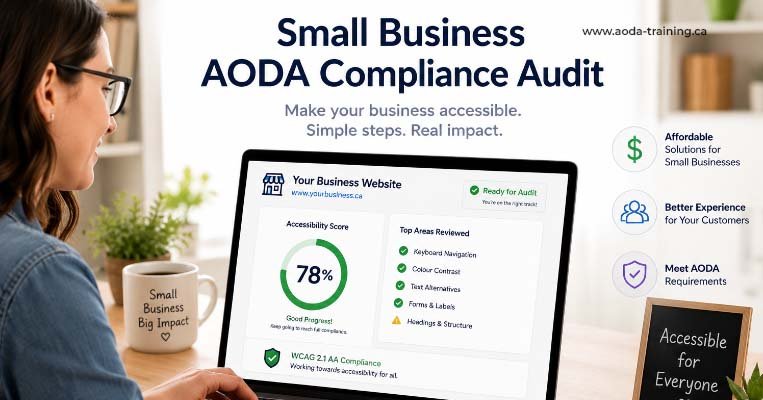
AODA uses three headcount thresholds to determine which obligations apply to your organization. Before reading the rest of this guide, confirm which bracket your business falls into.
| Headcount | Classification | Key additional obligations at this threshold |
|---|---|---|
| 0 employees (sole trader with no staff) | No employees | AODA does not apply. The Act covers employers. A sole trader with no staff has no AODA training or compliance obligations. |
| 1–19 employees | Small employer | Customer Service Standard training required for all staff. IASR training required for all staff. Basic employment accessibility obligations. No mandatory documentation filing unless you cross 20 employees. |
| 20–49 employees | Small–medium employer | All of the above + AODA compliance report must be filed with the Ontario government every 3 years. |
| 50+ employees | Medium–large employer | All of the above + written accessibility policy (publicly available) + multi-year accessibility plan (publicly posted) + training records required + IAP process required + return-to-work process required. |
What Every Small Ontario Business Must Do
Regardless of size, every Ontario organization with at least one employee has the same core AODA obligations. These are not optional for small businesses.
1. Train all staff on the Customer Service Standard
Every employee, volunteer, and contractor who interacts with customers must be trained on the Customer Service Standard. This training must cover the four principles of accessible service (dignity, independence, integration, equal opportunity), how to interact with people who have various types of disability, how to assist customers using assistive devices or support persons, and your organization’s specific accessibility policies.
The training must happen before or as soon as a person begins their role — not weeks later. And it must be updated whenever your accessibility policies change.
2. Train all staff on the IASR
All staff must also be trained on the Integrated Accessibility Standards Regulation and on the Ontario Human Rights Code as it relates to disability. For small businesses, this typically means an overview of the IASR’s requirements, not a deep dive into every standard. For managers and HR, additional training on the Employment Standard is required.
3. Have a process for receiving and responding to accessibility feedback
Your business must have a way for customers to give you feedback about accessibility. This can be as simple as a line on your website (“We welcome feedback on accessibility. Contact us at [email]”) and a commitment to respond. The key is that the process exists and that you actually use it.
4. Allow assistive devices, service animals, and support persons
You cannot refuse access to a customer because they use a wheelchair, a white cane, a hearing aid, a guide dog, or a support person. If your premises have restrictions (for example, a food-handling area where animals are normally excluded), your accessibility policy must state this and you must provide alternative service arrangements.
5. Notify customers when accessible services are disrupted
If a ramp is being repaired, your TTY device is out of service, or an accessible entrance is temporarily blocked, you must notify affected customers and provide information about alternatives. For small businesses, this typically means a sign at the disrupted point with a contact number or alternative entry route.
Website Accessibility Requirements for Small Businesses
If your business has a website — and almost every business does — the Information and Communications Standard under the IASR applies to it.
| Your situation | What applies |
|---|---|
| 1–49 employees, website content created after January 1, 2014 | All web content created or significantly updated since that date must meet WCAG 2.0 Level AA. This includes new pages, refreshed existing pages, and new digital content like PDFs. |
| 1–49 employees, website content created before January 1, 2014 | Older content is technically outside the IASR scope for small organizations — but if you have significantly refreshed or rebuilt the page, it comes into scope. A redesigned homepage from 2020 is new content. |
| 50+ employees | All public-facing web content must meet WCAG 2.0 Level AA regardless of when it was created. The deadline for this was January 1, 2021. |
For most small businesses, the practical implication is this: if your website was built or significantly redesigned since 2014, it needs to meet WCAG 2.0 Level AA. This means proper alt text on images, keyboard-navigable navigation, adequate colour contrast, captions on videos, and accessible forms.
The good news for small businesses is that most modern website platforms — WordPress, Squarespace, Shopify — make accessible websites achievable without specialist coding knowledge, as long as the right theme and content practices are used. The challenge is that many default themes and common content patterns fail basic WCAG criteria.
Five AODA Myths Small Businesses Believe
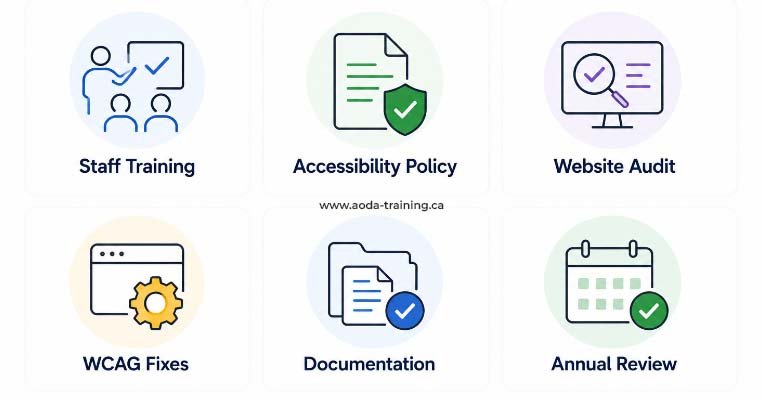
Several persistent misconceptions lead small Ontario businesses to underestimate their AODA obligations. Here are the most common ones, corrected.
The Most Common AODA Compliance Gaps in Small Businesses
Based on AODA compliance reviews across Ontario organizations, these are the gaps that appear most frequently in small businesses:
| Gap | How common | What to do |
|---|---|---|
| New hires have never received AODA training | Very common | Add AODA training to your onboarding checklist. Every new hire completes it in their first week. |
| Training was done generically without your organization's specific policies | Common | Supplement your training course with a briefing on your specific accessibility policies. Have staff sign to confirm they've reviewed it. |
| No process exists for receiving accessibility feedback from customers | Common | Add a line to your website contact page and any printed materials: "To request accessible formats or provide accessibility feedback, contact us at…" |
| Website has colour contrast failures or missing alt text | Very common | Run the free WAVE tool on your key pages. Fix the highest-impact issues yourself or with your web developer. |
| PDFs on the website are not accessible | Common | Either remediate PDFs for accessibility or offer an accessible alternative (plain text version, HTML version, or "request it by email" option). |
| No notification process when accessible services are temporarily disrupted | Moderate | Create a template notice for service disruptions. Include the nature of the disruption, expected duration, and alternative arrangements. |
A Practical AODA Action Plan for Small Businesses
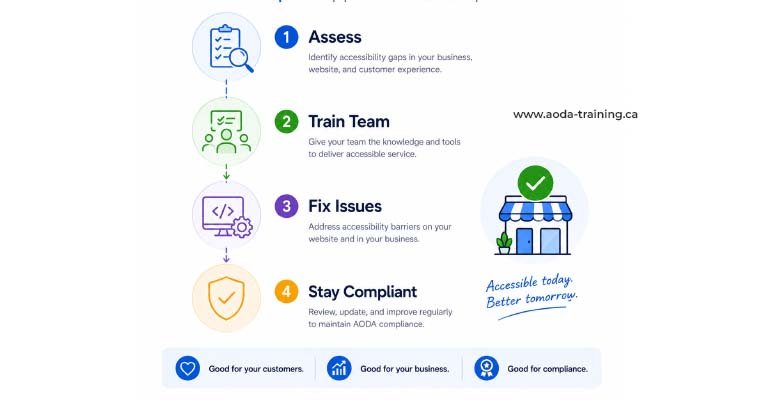
If you are starting from scratch or want to make sure your existing compliance is solid, work through these steps in order. Each one is achievable without specialist help.
When a Small Business Needs a Professional Audit
Most small businesses can address their most significant AODA compliance gaps without commissioning a professional audit. A free self-assessment, the government’s training module, and basic website fixes cover the majority of what the law requires for organizations with fewer than 20 employees.
A professional audit becomes the right call when:
- You have received an accessibility complaint and need to demonstrate a good-faith response
- Your business is approaching or has crossed the 20-employee threshold and you need to file a compliance report
- You are bidding for a government contract or grant that requires AODA compliance evidence
- You have recently built or significantly redesigned your website and want independent confirmation it meets WCAG 2.0 Level AA
- You have received a government compliance notice or are subject to a compliance review
For small businesses in these situations, a scoped website audit ($1,500–$4,000) or a basic organizational review ($3,000–$8,000) provides defensible compliance evidence at a cost that is proportionate to the compliance risk being mitigated.
Frequently asked questions
Does AODA apply to sole traders and self-employed individuals?
- Only if you have employees. A sole trader who works alone with no staff has no AODA training or compliance obligations under the Act. The Act covers organizations with at least one employee. The moment you hire your first staff member — even part-time or casual — AODA applies.
My business has fewer than 50 employees. Do I need a written accessibility policy?
- Not legally. The requirement for a publicly available written accessibility policy applies to organizations with 50 or more employees. However, having a simple written policy — even one page — is strongly recommended for smaller businesses. It demonstrates that you have thought about accessibility, it is required content for Customer Service Standard training, and it is your first line of defence if a complaint is filed.
Do I need to file an AODA compliance report?
- Only if you have 20 or more employees. Organizations with 1–19 employees are not required to file a compliance report. If you are between 20 and 49 employees, a report is required every three years. The compliance report is a legal declaration that your organization meets AODA requirements. Filing it without confidence in your compliance status is a legal risk.
How much will AODA compliance cost my small business?
- For most small businesses with 1–19 employees, the core compliance costs are: staff time to complete free government training (30–60 minutes per person), time to write a basic accessibility policy (2–4 hours), and any web developer time needed to fix the most significant website accessibility issues (varies widely, but common fixes like adding alt text and fixing form labels are typically $200–$1,000 in developer time). The total for most small businesses is under $2,000.
What is the easiest first step to AODA compliance for a small business?
- Book a professional AODA audit. While free checklists and self-assessments exist, they rely on your own interpretation of the standards — and gaps you miss today can become penalties or complaints tomorrow. A professional audit gives you a clear, prioritised action list specific to your business, covers all five standards (Customer Service, Information & Communications, Employment, Transportation, and Design of Public Spaces), and creates a defensible paper trail showing due diligence. The upfront cost is far outweighed by the risk of non-compliance fines, which can reach $100,000 per day for corporations. Start right — get it assessed properly.
Empower Your Team with Digital Accessibility
Ensure compliance, reduce legal risks, and build inclusive digital experiences.
Start AODA training for your team →Start AODA Compliance for Your Small Business Today
AODA compliance for a small business does not require a consultant, a lawyer, or a large budget. It requires training your staff, having a simple written policy, and addressing the most visible website accessibility issues. Our online AODA training covers everything your team needs and takes under an hour per person.
- Customer Service Standard training for all staff — satisfies the core legal requirement
- Completion certificates for every staff member — your compliance record
- Onboarding-compatible — assign to new hires on their first week
- IASR training including the Ontario Human Rights Code
- Suitable for 1 employee to 50+ — scale as you hire
- Updated when Ontario accessibility standards change