
- AODA Compliance Cost
- AODA Compliance Audit
AODA Compliance Cost: What an Accessibility Audit Costs in 2026
AODA compliance costs vary significantly depending on what you need to assess, how large your website is, whether you need a full organizational audit or website-only review, and how much remediation work follows the initial assessment. This page gives you realistic pricing ranges for each type of engagement.
Quantity Discounts
Price per course
6 to 20 courses
$20.95
21 to 50 courses
$17.95
51 to 200 courses
$13.95
201+ courses
Custom offer
AODA compliance costs vary significantly depending on what you need to assess, how large your website is, whether you need a full organizational audit or a website-only review, and how much remediation work follows the initial assessment.
What drives the cost of an AODA compliance audit
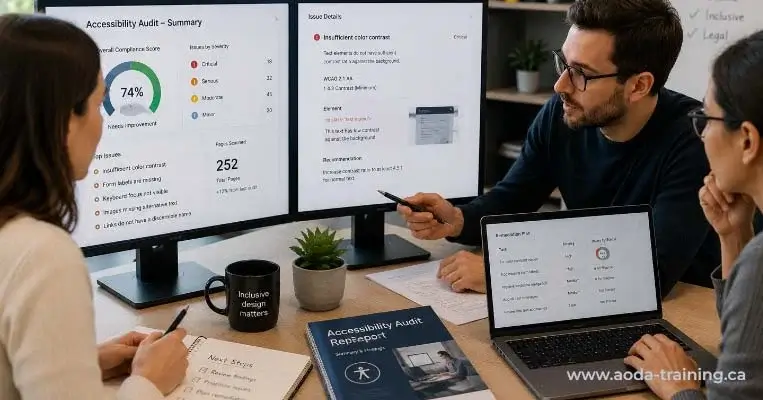
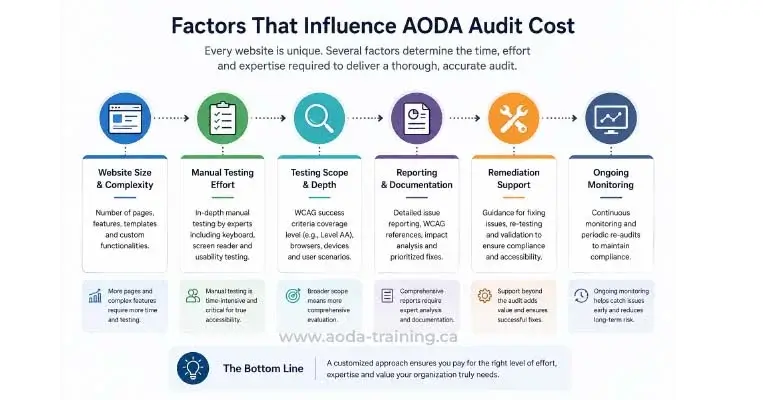
Five factors determine how much a professional AODA audit costs. Understanding them helps you scope a project realistically and avoid overpaying for coverage you do not need.
1. Website size and complexity
The primary cost driver. A 10-page brochure website takes far less time to test than a 200-page e-commerce site with authenticated user flows and complex interactive components. Auditors typically quote by page count or by the number of distinct templates, not by the word count of each page.
2. Testing methodology
An automated-only scan costs less than a combined automated + manual + AT testing engagement. The latter produces a complete WCAG picture. For compliance purposes, a full methodology is required. For a development health check, automated scanning may be sufficient.
3. Scope of the audit
A website-only audit covers WCAG 2.0 Level AA for public-facing web content. A full AODA organizational audit also reviews accessibility policies, training records, employment practices, and compliance documentation. The organizational review adds cost but provides a complete compliance picture.
4. Remediation support
Some engagements include post-audit support: reviewing developer fixes, retesting resolved issues, advising on implementation approach. This adds cost but is valuable for organizations without in-house accessibility expertise. Remediation support is typically billed at a day rate rather than a fixed fee.
5. Auditor experience and location
Specialist accessibility auditors with IAAP credentials (WAS, CPACC) and demonstrated experience with professional AT testing typically charge more than generalist web developers. The premium is usually worth paying — a more experienced auditor finds more issues, documents them more usefully, and provides more actionable remediation guidance.
AODA compliance audit pricing: tier by tier
These ranges reflect typical Ontario market rates in 2026 for professional external audits. Internal audits cost staff time rather than consultant fees. Always request a scope-specific quote — these ranges are for planning purposes.
Automated scan + checklist
- ✓Run axe DevTools and WAVE across key pages using free browser extensions
- ✓Work through the AODA audit checklist (available as a free download on this site)
- ✓Identify obvious automated failures and documentation gaps
- ✓No professional testing, no screen reader evaluation, no manual WCAG review
Tools only — not a compliance audit
- ✓Automated scanning across scoped pages using axe, WAVE, or Lighthouse
- ✓Exported findings list with WCAG references and page locations
- ✓No manual testing, no screen reader testing, no expert review of findings
- ✓Detects approximately 30–40% of WCAG failures
Up to 20 pages · Full methodology
- ✓Automated scanning with axe and WAVE
- ✓Manual WCAG 2.0 Level AA testing by an accessibility specialist
- ✓Screen reader testing with NVDA (Firefox) and VoiceOver (Safari)
- ✓Colour contrast evaluation
- ✓Keyboard navigation testing
- ✓Prioritized issue report with WCAG references, severity ratings, screenshots, and fix guidance
20–100 pages · Full methodology
- ✓All components of the small site audit
- ✓Testing across a representative page sample of 20–100 pages
- ✓Multiple template testing (product pages, blog, landing pages, interactive flows)
- ✓Authenticated user journey testing (login, checkout, account management)
- ✓Document accessibility review (PDFs, Word files)
- ✓Detailed report with template-level findings and remediation roadmap
Website + policies + training + employment
- ✓Website accessibility audit (small site scope)
- ✓Review of written accessibility policy and multi-year accessibility plan
- ✓Training records assessment — who has been trained, on what, and when
- ✓Employment practices review — accessible recruitment, IAP process, return-to-work
- ✓Compliance report filing status check
- ✓Gap analysis report covering all applicable AODA standards
Website + full organizational review
- ✓Full website accessibility audit (medium site scope)
- ✓Comprehensive review of all AODA policies and documentation
- ✓Full training records assessment across all staff categories
- ✓Employment Standard compliance review (IAPs, accessible recruitment, return-to-work)
- ✓Information & Communications Standard review (accessible documents, formats on request)
- ✓Compliance report preparation support
- ✓Detailed gap analysis with prioritized remediation plan across all standards
Continuous scanning + periodic manual review
- ✓Scheduled automated scanning across key pages (weekly or monthly)
- ✓New issue alerts when significant failures are introduced
- ✓Quarterly or biannual manual review of high-traffic pages
- ✓Compliance tracking dashboard
- ✓Annual full audit included in some programmes
Remediation costs: what comes after the audit
The audit identifies what needs to be fixed. Remediation is the work of fixing it. Remediation costs depend on the volume and complexity of issues found, the technical makeup of your website, and whether your development team has accessibility experience.
| Issue type | Typical remediation approach | Relative cost |
|---|---|---|
| Missing alt text across the site | Content team adds alt text to images; may require CMS workflow changes for future images | Low — editorial work, not engineering |
| Colour contrast failures | Design system update to meet contrast ratios; may require brand colour adjustments | Low–Medium — design and CSS work; higher if brand colours must change |
| Missing or poor form labels | Developer adds or updates <label> elements; may require form component refactoring | Low–Medium — code change per field |
| Keyboard navigation failures on navigation menus | Frontend developer rebuilds navigation with keyboard support; may require JS rewrite | Medium — depends on how the menu was originally built |
| Custom interactive components without ARIA | Developer adds ARIA roles, properties, and states; retests with screen reader | Medium–High — custom component work; complexity varies |
| PDF accessibility across document library | Document team remediates or replaces PDF files; may require specialist PDF accessibility tool | High if volume is large — PDF remediation is manual and time-consuming |
| Policy and documentation gaps | HR or compliance team creates or updates policies, plans, and training records | Low — administrative work; may require legal review for policy content |
| Training gaps (staff not trained) | Deploy training platform and assign training to all untrained staff | Low–Medium — platform cost plus staff time |
As a rough guide: for a small business website with typical accessibility issues, remediation costs are often $2,000–$8,000 in developer and content time, depending on team rates and issue volume. For larger sites with significant technical debt, remediation can run to $20,000–$50,000+ for a full systematic fix. This makes the audit cost look modest by comparison.
How to evaluate an audit quote
Not all quotes are for the same thing. Before comparing prices, make sure you are comparing like for like. Here is what to check:
| Question to ask | Why it matters |
|---|---|
| Does the quote include manual testing, or just automated scanning? | Automated-only scanning is far cheaper but detects only 30–40% of WCAG failures. Make sure the methodology matches what you actually need. |
| Does it include screen reader testing? | AT testing is the most revealing form of accessibility testing and the most likely to find barriers that prevent disabled users from completing tasks. A quote without it is incomplete. |
| How many pages are in scope? | Page count drives cost for website audits. Confirm what 'pages' means — some providers count templates, some count individual URLs. |
| What does the report include? | A good report includes WCAG criterion references, severity ratings, screenshots, and code-level fix guidance. A spreadsheet of URLs with brief descriptions is not a professional audit report. |
| Is retesting included? | Some providers include a retesting pass after remediation; others charge separately. Retesting confirms fixes were implemented correctly. |
| What are the auditor's credentials? | Ask about IAAP WAS or CPACC credentials and experience with screen reader testing. A generalist web agency offering accessibility reviews alongside SEO and UX work is not the same as a specialist accessibility consultancy. |
| Is remediation support available after the report? | Some organizations need guidance during remediation, not just a report. Confirm whether post-report support is in scope and at what rate. |
Internal audit vs external audit: cost comparison
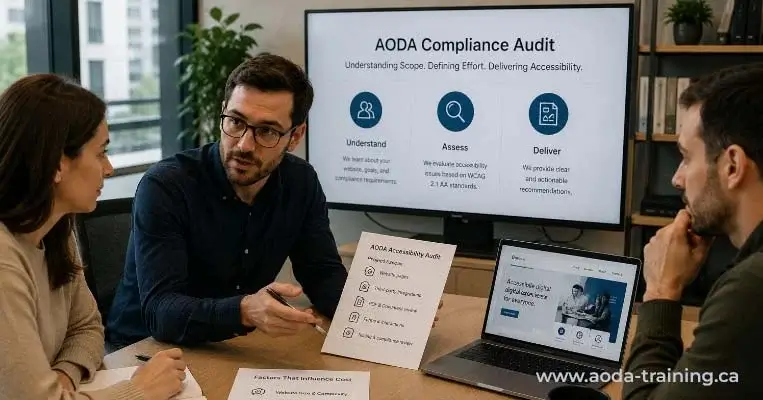
Organizations with in-house developers or accessibility knowledge may consider conducting their own audits rather than commissioning external testing. Here is an honest comparison of what each approach costs.
| Cost element | Internal audit | External audit |
|---|---|---|
| Tools | Free (axe, WAVE, NVDA, VoiceOver) | Free tools + auditor may use paid platforms (axe Pro, Deque Attest) |
| Staff time | Significant — manual and AT testing is time-intensive; junior developers may miss issues | Auditor's time is the primary cost, scoped to deliverable |
| AT expertise | Only if an AT-experienced tester is available in-house — rare | Included in specialist auditor's service |
| Objectivity | Risk of blind spots from familiarity with own content | External perspective catches issues internal teams miss |
| Credibility | Limited for compliance reporting or complaint response | Higher credibility for legal and compliance purposes |
| Total cost range | Cost of staff time + tool costs | $1,500–$20,000+ depending on scope and methodology |
| Best for | Development QA, regular internal checks, pre-audit preparation | Formal compliance assessment, compliance report preparation, post-complaint response |
Frequently asked questions
How much does an AODA compliance audit cost for a small business?
- For a small business with a straightforward website of up to 20 pages, a full professional AODA website accessibility audit typically costs between $1,500 and $4,000. A full organizational audit — covering website, policies, training records, and employment practices — typically costs between $3,000 and $8,000. These are professional third-party audit costs. A free self-assessment using automated tools costs only staff time.
Why does accessibility audit pricing vary so much?
- The range reflects genuine differences in scope, methodology, and auditor expertise. An automated scan of five pages and a full manual + AT audit of a 50-page e-commerce site with authenticated user flows are both called ‘accessibility audits’ but are very different products. When comparing quotes, confirm exactly what testing methodology is included, how many pages are in scope, what the report covers, and whether retesting is included.
Is there a cheaper way to get AODA compliant?
- The compliance cost is mostly in fixing issues, not finding them. A free self-assessment using axe DevTools and WAVE gives you the most obviously detectable issues at no cost. Fixing those issues requires developer and content time regardless of who found them. A professional audit costs more upfront but finds the full range of issues — including the ones that matter most to disabled users — so remediation effort is directed correctly rather than leaving critical barriers unfixed.
Does AODA require us to pay for an accessibility audit?
- No. AODA requires compliance, not the commissioning of a specific type of audit. There is no legal requirement to hire an external auditor. However, the compliance report that organizations with 20 or more employees must file every three years is a legal declaration of compliance — and filing it without confidence in your compliance status is a legal risk. Most organizations commissioning an audit do so to be confident in their status before making that declaration.
What happens if we get an audit and then make changes to the website?
- The audit report reflects your website at the time of testing. New content, new pages, or code changes after the audit can introduce new accessibility issues. For active websites, this is why ongoing monitoring between formal audits is valuable. At minimum, build automated accessibility checks into your development and content publishing workflows so new issues are caught before they accumulate.
Can we spread the cost of remediation over time?
- Yes. Remediation does not have to happen all at once. Most audit reports include a prioritized remediation list — addressing critical issues first, then serious, then moderate. This allows organizations to fix the most significant barriers immediately and work through lower-priority issues over time. Documenting this phased approach is important: if an audit occurs during remediation, showing a prioritized remediation plan in progress demonstrates good-faith effort toward compliance.
Empower Your Team with Digital Accessibility
Ensure compliance, reduce legal risks, and build inclusive digital experiences.
Start AODA training for your team →Get a quote for your AODA compliance audit
Our AODA compliance audits are scoped to your organization’s size, website, and compliance obligations. We provide fixed-fee quotes after an initial consultation so you know exactly what testing covers and what the deliverable looks like before committing.
- Scoping call to confirm pages in scope, testing methodology, and report format
- Manual WCAG 2.0 Level AA testing by a trained accessibility specialist
- Prioritized issue report with WCAG references, severity ratings, screenshots, and fix guidance
- Automated scanning with axe and WAVE
- Screen reader testing with NVDA (Firefox) and VoiceOver (Safari)
- One follow-up call to walk your team through findings