
- Industry-Specific AODA Compliance
- AODA Compliance Audit
Industry-Specific AODA Compliance: Healthcare, Education & More
AODA compliance priorities vary by industry. Explore sector-specific accessibility obligations for healthcare, education, eCommerce, financial services, and government.
Quantity Discounts
Price per course
6 to 20 courses
$20.95
21 to 50 courses
$17.95
51 to 200 courses
$13.95
201+ courses
Custom offer
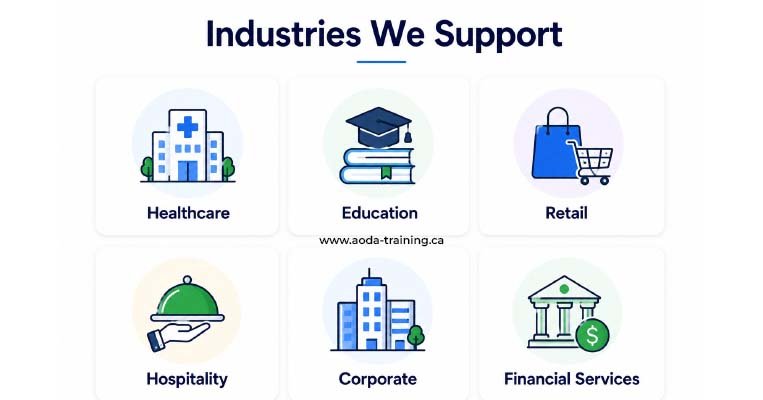
AODA applies to every Ontario organization with at least one employee. The standards, the obligations, and the thresholds are the same across industries. What changes is the context in which those obligations play out — the digital systems organizations use, the users they serve, the intersecting regulations they face, and the specific accessibility barriers most likely to affect their customers and staff.
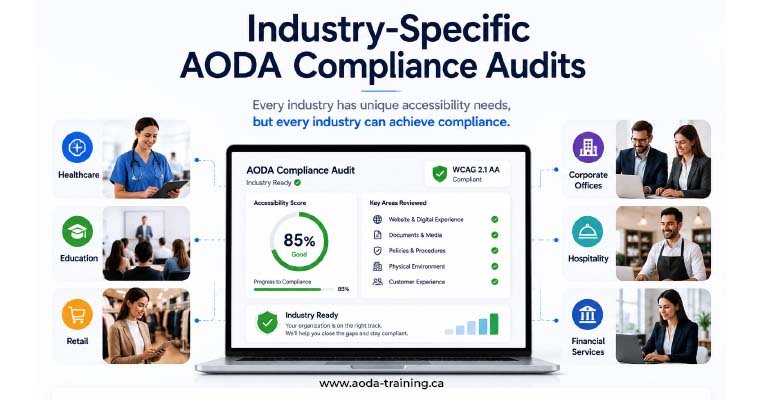
This page covers the accessibility audit priorities, additional compliance considerations, and most common gaps for six industry sectors: healthcare, education, eCommerce, financial services, government and municipal organizations, and professional services.
What Every Industry Has in Common
Before the industry-specific content: every Ontario organization with at least one employee must meet the same core AODA obligations regardless of sector. These are not modified by industry:
| Obligation | Applies to |
|---|---|
| Customer Service Standard training for all staff | Every organization with 1+ employee |
| IASR training including Ontario Human Rights Code | Every organization with 1+ employee |
| Feedback process for accessibility complaints | Every organization with 1+ employee |
| Allow assistive devices, service animals, support persons | Every organization with 1+ employee |
| WCAG 2.0 Level AA for websites (new content since 2014) | Organizations with 1–49 employees |
| WCAG 2.0 Level AA for all web content | Organizations with 50+ employees (since January 2021) |
| Written accessibility policy (publicly available) | Organizations with 50+ employees |
| Multi-year accessibility plan (publicly posted) | Organizations with 50+ employees |
| AODA compliance report (every 3 years) | Organizations with 20+ employees |
Healthcare Organizations
- › Patient portal and online appointment booking: accessible to screen readers, keyboard navigation, and users with cognitive disabilities. These are critical user journeys — inaccessibility here prevents patients from managing their own care.
- › Public website: service information, locations, hours, and emergency contact must all meet WCAG 2.0 Level AA.
- › Digital patient communications: appointment reminders, test results, health information sent digitally must be in accessible formats on request.
- › Accessible physical spaces: patient intake areas, examination rooms, and waiting spaces are covered by the Design of Public Spaces Standard.
- › PHIPA (Personal Health Information Protection Act) intersects with AODA: accessible formats of health information must also comply with privacy obligations. An accessible PDF of test results must be encrypted if it contains personal health information.
- › Hospitals and large health organizations are designated public sector entities under AODA, which means stricter timelines and more prescriptive requirements.
- › Emergency procedure information must be provided in accessible formats to employees with disabilities on request.
- › Staff training obligations include patient interaction guidance for staff who regularly support patients with cognitive, sensory, and physical disabilities.
- › Patient portal: appointment booking, test results, prescription requests, account management
- › Website: service pages, contact forms, location maps, emergency information
- › Digital communications: email templates, SMS, patient portal notifications
- › Physical accessibility of reception areas and patient-facing spaces
Education Institutions
- › Learning Management Systems (LMS): course content, video lectures, assessments, and downloadable materials must meet WCAG 2.0 Level AA. Students with disabilities have a legal right to accessible course materials.
- › Student portals: registration, timetabling, grade access, and student services must be fully accessible.
- › Library resources: databases, eBooks, and research tools procured by the institution must be assessed for accessibility.
- › Online assessments: timed tests, interactive assignments, and proctoring tools must accommodate students with disabilities.
- › Post-secondary institutions face additional obligations under Ontario's Human Rights Code around academic accommodation. AODA website compliance and academic accommodation under the Code are separate obligations but frequently overlap.
- › Designated public sector status applies to public post-secondary institutions, school boards, and government-funded schools, imposing stricter timelines.
- › Accessible procurement: when purchasing new educational technology, accessibility should be a procurement criterion. Selecting inaccessible platforms creates compliance obligations from day one.
- › Student-created content: policies for accessible submission formats benefit students with disabilities while reducing institution liability.
- › LMS: course pages, video content (captions and transcripts), downloadable resources, assignment submission
- › Student portal: registration, grade access, timetabling, student services forms
- › Public website: program information, admissions, contact pages, news and events
- › Library and research platforms linked from institutional websites
eCommerce and Online Retail
- › Product pages: product images require alt text, product descriptions must be screen-reader friendly, and size/colour selectors must be keyboard-operable and ARIA-compliant.
- › Cart and checkout: the most critical user journey. Any accessibility failure that prevents a keyboard-only user or blind user from completing checkout is both a WCAG failure and a revenue problem.
- › Payment forms: accessible form labels, error identification, and keyboard navigation are essential. Many payment gateway integrations introduce accessibility issues at the point of payment.
- › Order confirmation and transactional emails: must be in accessible formats. HTML emails should meet WCAG colour contrast and structure requirements.
- › eCommerce platforms (Shopify, WooCommerce, Magento) vary significantly in their native accessibility. Some generate inaccessible HTML by default. Platform choice and theme selection have major accessibility implications.
- › Third-party review widgets, chatbots, live chat tools, and shipping calculators are the responsibility of the organization, not the widget provider. If a tool on your site fails WCAG, your organization is non-compliant regardless of who built it.
- › Seasonal sales and promotional overlays (pop-ups, countdown timers, limited-time banners) frequently introduce new accessibility issues. Test these before campaigns go live.
- › Product filtering and sorting interfaces are often built without keyboard or AT support, creating significant barriers for screen reader users.
- › Homepage, category pages, product pages, search results
- › Cart, checkout, payment, and order confirmation flows — end-to-end keyboard and AT testing
- › Account registration, login, and order history
- › Email templates: order confirmation, shipping notification, promotional emails
Financial Services
- › Online banking portals: account balances, transaction history, bill payments, and fund transfers must be fully accessible. These are not convenience features — they are how many customers manage their finances.
- › Financial statements and disclosures: account statements, tax documents, and regulatory disclosures must be available in accessible formats on request.
- › Application and onboarding flows: loan applications, account opening, and insurance applications often have complex multi-step forms with specific accessibility challenges.
- › Calculator and comparison tools: mortgage calculators, investment projections, and insurance comparison tools must be keyboard-operable and screen-reader compatible.
- › Federally regulated financial institutions (banks chartered under the Bank Act, federal insurance companies) are also subject to the Accessible Canada Act (ACA) in addition to Ontario's AODA. The two frameworks have significant overlap but different enforcement bodies.
- › Financial documents are among the most commonly inaccessible PDFs in any sector. Tagged PDF accessibility for account statements, fund fact sheets, and product disclosure documents is frequently absent.
- › Accessibility intersects with financial inclusion: people with disabilities who cannot access digital banking services face real barriers to financial participation.
- › Two-factor authentication and security verification processes often create accessibility barriers that disproportionately affect users with motor or cognitive disabilities.
- › Online banking platform: balance and transaction views, payment flows, account management
- › Public website: product pages, rate information, branch/ATM locators, contact forms
- › PDF library: statements, disclosures, fund facts, forms
- › Application flows: account opening, loan applications, insurance applications
Government and Municipal Organizations
- › All public-facing digital services: government services accessed online must be accessible to all residents, including those with disabilities. This includes service portals, permit applications, public consultations, and information pages.
- › Public consultation tools: online surveys, public comment forms, and engagement platforms must be accessible to ensure equal participation in democratic processes.
- › Emergency and public safety information: must be available in accessible formats. This has heightened urgency — inaccessible emergency alerts can have life safety implications.
- › Meeting materials and agendas: council agendas, minutes, reports, and budget documents published online must meet WCAG 2.0 Level AA as part of the broader Information and Communications Standard obligations.
- › Designated public sector organizations face the strictest AODA timelines: new websites compliant by 2014, existing websites by 2016. Many municipal websites have not met these deadlines.
- › Municipal organizations must also comply with the Design of Public Spaces Standard when developing or redeveloping public outdoor spaces, sidewalk systems, service counters, and accessible parking.
- › The Ontario government has been increasing enforcement activity for public sector AODA compliance. Municipal organizations that have not filed compliance reports or have not addressed known website accessibility failures face elevated enforcement risk.
- › Procurement of digital services: when municipalities contract for new digital tools (permit portals, mapping systems, payment platforms), AODA accessibility should be a mandatory contractual requirement.
- › Service portal: permit applications, licence renewals, payment systems, resident accounts
- › Public website: service information, council information, emergency alerts, news and notices
- › Public consultation: surveys, comment forms, virtual meeting participation tools
- › Document library: agendas, minutes, by-laws, reports, budget documents
Professional Services
- › Client portal and document sharing: client-facing portals for document exchange, e-signatures, and matter management must be accessible. Inaccessible portals prevent clients with disabilities from participating in their own professional engagements.
- › Website content: service descriptions, team profiles, blog and thought leadership content, and contact forms are the primary digital touchpoints. All must meet WCAG 2.0 Level AA.
- › Intake and onboarding forms: new client intake processes are often form-heavy and poorly optimized for screen readers. Accessible intake means accessible service.
- › Employment and HR documents: firms with 50+ employees must ensure offer letters, employment agreements, training materials, and HR documentation are available in accessible formats.
- › Professional services firms are often subject to sector-specific regulation (Law Society of Ontario, CPA Ontario) that intersects with AODA obligations around client service and accessibility.
- › Client confidentiality limits some remediation approaches: sharing documents via email may be less secure than an accessible client portal, but an inaccessible portal serves only some clients. Both the accessibility and confidentiality obligations must be addressed.
- › Many professional services websites rely heavily on PDFs for thought leadership, brochures, and proposals. PDF accessibility is frequently overlooked and rarely tested.
- › Remote working and virtual service delivery have become standard in professional services. Ensuring that video conferencing platforms, online collaboration tools, and digital whiteboard tools used in client engagements are accessible is an emerging obligation.
- › Client portal: document access, e-signature, matter status, billing
- › Website: service pages, team bios, blog/insights, contact and intake forms
- › Client-facing documents: proposals, reports, engagement letters
- › Remote engagement tools: virtual meeting platforms, shared documents, online forms
Cross-Industry AODA Compliance Quick Reference
This table summarizes the highest-priority audit areas and additional compliance considerations for each sector at a glance.
| Industry | Highest audit priority | Most common gap | Additional framework |
|---|---|---|---|
| Healthcare | Patient portal and appointment booking accessibility | Inaccessible PDFs of health information; patient portal keyboard failures | PHIPA (privacy + accessible formats intersection) |
| Education | LMS course content and video captions | Uncaptioned lecture videos; inaccessible course materials | Ontario Human Rights Code (academic accommodation) |
| eCommerce | Cart and checkout flow — end-to-end keyboard and AT testing | Third-party widget failures; inaccessible product filters | Consumer protection regulations (no additional AODA layer, but reputational risk is high) |
| Financial services | Online banking portal and PDF document library | Inaccessible account statements and fund fact PDFs; 2FA barriers | Accessible Canada Act (federally regulated institutions) |
| Government / municipal | Service portal and document library | Missed compliance report filings; outdated website pre-2016 | Designated public sector rules (stricter timelines and more prescriptive requirements) |
| Professional services | Client portal and intake forms | Inaccessible PDF proposals and reports; uncaptioned webinar content | Law Society / CPA Ontario professional obligations |
Frequently asked questions
Do AODA requirements differ between industries in Ontario?
- The core AODA obligations are the same for every Ontario organization with employees — training, website accessibility, policies, and reporting requirements do not vary by industry. What varies is the digital systems each industry uses, the intersecting regulatory frameworks that apply, and the specific accessibility barriers most likely to affect their users. Healthcare organizations face different practical challenges than eCommerce businesses, even though both are subject to the same AODA standards.
Are federally regulated businesses in Ontario subject to AODA?
- Yes and no. Federally regulated businesses — banks chartered under the Bank Act, broadcasters, telecommunications companies, airlines, and interprovincial transportation — are primarily regulated by the federal Accessible Canada Act (ACA) rather than AODA. However, if a federally regulated company has provincially regulated operations or employs workers under provincial jurisdiction, AODA may also apply to parts of their operations. The two frameworks have significant overlap. Organizations in this situation should confirm which standard governs which aspects of their operations with legal counsel.
Does AODA apply to the websites of non-profit organizations?
- Yes. Non-profits are not exempt from AODA. If a non-profit organization in Ontario has at least one employee, it has the same AODA training, website, and compliance obligations as a private-sector business of the same size. The thresholds (1 employee, 20 employees, 50 employees) and the obligations at each threshold are identical.
Are healthcare providers required to make patient portals WCAG compliant?
- Yes, if the organization has the requisite number of employees and the portal was developed or significantly refreshed after 2014. Patient portals are web-based digital services controlled by the healthcare organization, and they fall within the scope of the Information and Communications Standard. Organizations with 50 or more employees must ensure all public-facing web content, including patient portals, meets WCAG 2.0 Level AA.
Do educational institutions have accessibility obligations beyond AODA?
- Yes. Ontario’s Human Rights Code requires post-secondary institutions to accommodate students with disabilities to the point of undue hardship. This is a separate and additional obligation that goes beyond AODA’s accessibility standards. A student with a visual impairment may be entitled to accessible course materials under the Human Rights Code even if the institution’s website technically meets WCAG 2.0 Level AA. Post-secondary institutions deal with both frameworks simultaneously.
Is there an AODA exemption for small or startup eCommerce businesses?
- No industry-specific exemptions exist in AODA. An Ontario eCommerce business with one employee has the same Customer Service Standard training obligation as a major retailer. A business with 50 employees has the same website accessibility obligation as a large corporation in the same sector. Size thresholds determine the scope of obligations, not industry or business model.
Empower Your Team with Digital Accessibility
Ensure compliance, reduce legal risks, and build inclusive digital experiences.
Start AODA training for your team →Get an Industry-Specific AODA Compliance Assessment
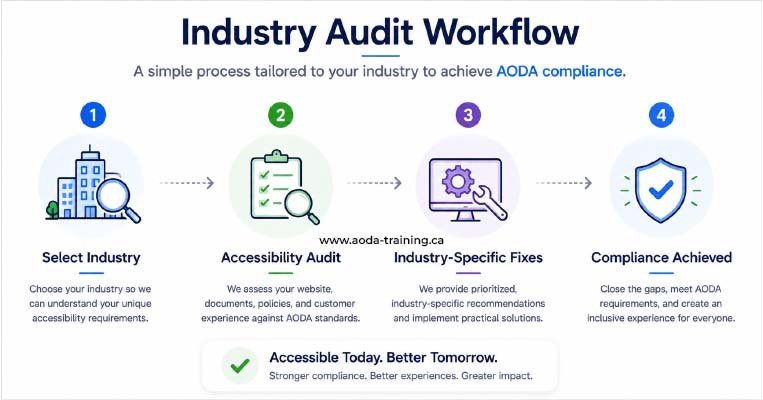
Our AODA compliance audits are scoped to your organization’s industry, size, and the specific digital systems and workflows where accessibility barriers are most likely to occur. We work with healthcare providers, educational institutions, eCommerce businesses, financial services firms, government organizations, and professional services firms across Ontario.
- Scoping call that identifies your highest-risk systems and user journeys based on your sector
- Industry-relevant testing scenarios — patient portal booking, checkout flow, student LMS, online banking
- Prioritized report structured around your industry's specific audit priorities
- Optional: compliance report preparation support for organizations with 20+ employees
- Automated scanning + manual WCAG 2.0 Level AA testing + screen reader evaluation
- Policy and documentation review covering all applicable AODA standards
- Guidance on intersecting regulatory frameworks where relevant (PHIPA, ACA, Human Rights Code)