
- AODA Compliance Checklist for Ontario Businesses (2026)
- AODA Training
AODA Compliance Checklist for Ontario Businesses (2026)
A complete AODA compliance checklist covering 55+ items — training, policies, customer service, employment, and website accessibility — organized by headcount tier.
Quantity Discounts
Price per course
6 to 20 courses
$20.95
21 to 50 courses
$17.95
51 to 200 courses
$13.95
201+ courses
Custom offer
This checklist covers every major AODA obligation for Ontario businesses, organised by headcount tier. Work through the sections that apply to your organization, mark each item as complete or not started, and use the result to prioritize your next compliance steps.
The checklist is structured for practical use: each section can be worked through with the relevant team in under an hour. A ‘not started’ item is a compliance gap. An ‘in progress’ item needs a deadline and an owner.
AODA obligations scale with employee count. Confirm which tier applies before working through the checklist:
1–19 employees:
20–49 employees:
50+ employees:
All sections apply in full.
Count all workers — full-time, part-time, seasonal, casual, and regular contractors.
Download the Printable Version
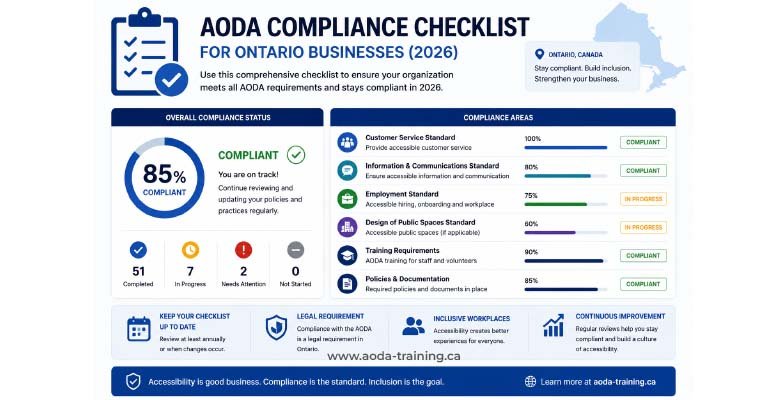
The checklist below is the full online version. A print-ready PDF — formatted with larger checkboxes, space for notes, and a gap summary template — is available as a free download.
Download the free AODA compliance checklist (PDF)
Includes all sections below, formatted for printing and team workshops. Enter your email to receive it directly.
Download Free PDF →The AODA Compliance Checklist
How to Interpret Your Results
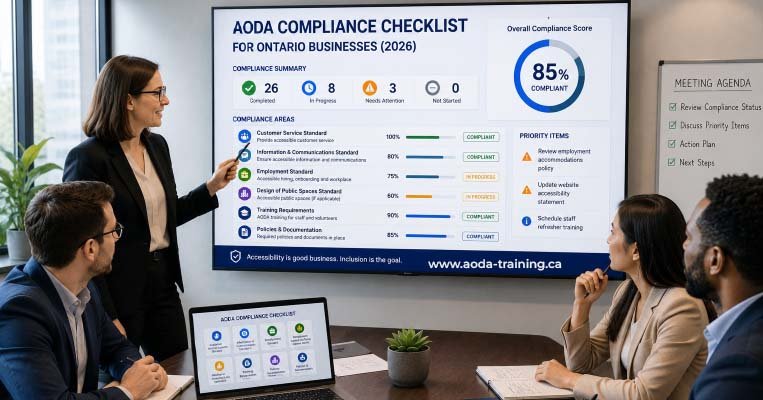
Once you have worked through the checklist, count the unchecked items in each section. The table below tells you what your results mean and what to do next.
| Unchecked items | Risk level | What to do |
|---|---|---|
| 0 items unchecked in a section | Compliant in this area | Document the date of assessment. Schedule a review in 12 months or when policies change. |
| 1–2 items unchecked | Low — minor gaps | Assign an owner and a 30-day deadline for each unchecked item. Low urgency but real compliance exposure. |
| 3–5 items unchecked | Medium — significant gaps | Prioritize remediation. These gaps represent real risk if a complaint is filed or a review is triggered. |
| 6+ items unchecked in a section | High — substantial non-compliance | Act immediately. Commission professional training, update policies, and address website issues without delay. Do not file a compliance report until major gaps are resolved. |
The Most Commonly Unchecked Items
Across Ontario organizations of all sizes, these are the compliance items most frequently left unchecked — and the ones that generate the highest enforcement and complaint risk.
| Section | Most common unchecked item | Why it matters |
|---|---|---|
| A — Training | New hires have never received training — records only exist for original staff | Every untrained hire is an ongoing violation. Onboarding is the fix — it takes 30 minutes per person and costs nothing with online training platforms. |
| A — Training | Training covers generic AODA content but not the organization's own accessibility policies | The Customer Service Standard specifically requires training on the organization's own policies. Generic training alone does not satisfy this requirement. |
| B — Policies | No written process for receiving accessibility feedback from customers | This is a universal requirement at 1+ employee, not just for large organizations. A contact email on your website satisfies it. |
| B — Policies | Multi-year accessibility plan not created or not publicly posted | Required for organizations with 50+ employees. Many organizations in this bracket have never created a plan. The government provides a template. |
| D — Reporting | Compliance report not filed or filed late | Non-filing is itself an AODA violation and is one of the primary ways organizations are selected for compliance reviews. |
| E — Employment | Job postings and interview invitations do not include accommodation statements | A simple, low-cost requirement missed by the majority of organizations. One sentence added to posting templates resolves it permanently. |
| F — Website | Missing alt text on images across the site | One of the highest-volume WCAG failures in any sector. Affects blind users directly. Fixable through content editor training and a CMS workflow update. |
| F — Website | Keyboard navigation failures — menus and interactive elements require a mouse | Prevents blind users and users with motor impairments from using key site functionality. Requires developer involvement to fix. |
Using This Checklist Before Filing Your AODA Compliance Report
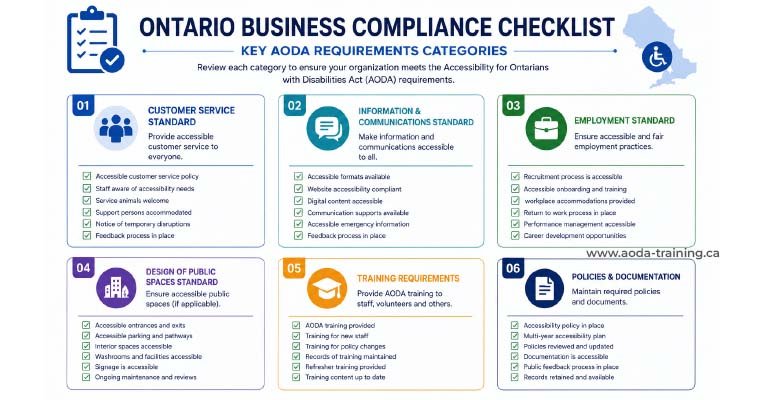
Organizations with 20 or more employees must file an AODA compliance report every three years. The report is a legal declaration that your organization meets applicable AODA requirements.
This checklist is the practical preparation tool for that filing. Work through every section that applies to your organization. Every unchecked item represents a requirement you cannot honestly declare as met. Address the gaps before filing — not after.
Frequently asked questions
How often should I run through the AODA compliance checklist?
- At minimum, annually — and whenever a significant change occurs: a website redesign or relaunch, a change in headcount that crosses the 20 or 50 employee thresholds, a revision to your accessibility policies, a new complaint, or when your compliance report cycle is approaching. The checklist is most useful as a living document your organization returns to regularly rather than a one-time exercise.
Does completing the checklist demonstrate AODA compliance?
- No. Working through the checklist and documenting the results demonstrates that your organization is actively reviewing its compliance obligations — which matters in enforcement contexts. The compliance protection comes from actually meeting the requirements the checklist identifies, not from having completed the checklist itself. A checklist with many unchecked items is not compliance evidence; it is a gap analysis.
Can I use this checklist for my AODA compliance report?
- The checklist is preparation for the compliance report, not a substitute for it. The Ontario government’s compliance report is filed through the Accessibility Directorate’s online portal at ontario.ca/aoda. The checklist helps you confirm that the requirements you are declaring as met in that report are genuinely met.
My organization has 18 employees. Which sections apply to me?
- At 18 employees, Sections A (training), B (policies — excluding items marked with *), C (customer service practices), and F (website) all apply. Section E (employment practices) also applies for the non-asterisked items — accessible recruitment statements, notifying candidates of accommodation, informing new employees of support policies, and providing accessible employment information on request. Section D (compliance reporting) and the asterisked items in B and E apply only once you reach 20 and 50 employees respectively.
We have no written accessibility policy. Where do we start?
- The Ontario government provides a sample accessibility policy template at ontario.ca/aoda — it can be adapted to your organization in under an hour. A compliant accessibility policy covers your commitment to accessible service, how staff are trained, your approach to assistive devices and service animals, how customers can provide accessibility feedback, and your service disruption procedure. Once written, it must be shared with all staff — and training must cover it specifically.
What's the fastest way to fix the most common compliance gaps?
- The three highest-impact steps that most organizations can complete within a week: (1) enrol all untrained staff in an AODA training course and add it to your onboarding checklist; (2) add a one-sentence accommodation statement to every job posting template; (3) add a one-line accessibility feedback contact to your website footer or contact page. Together these address the three most frequently unchecked items across all organization sizes and cost nothing except staff time.
Empower Your Team with Digital Accessibility
Ensure compliance, reduce legal risks, and build inclusive digital experiences.
Start AODA training for your team →Train Your Team and Check Training Off Your List Today
If Section A revealed untrained staff — current employees, recent hires, or a gap in onboarding — our online AODA training platform lets you enrol your entire team today. Every staff member gets a dated completion certificate, and your training records are exportable for compliance report purposes.
- Customer Service Standard training for all staff
- Employment Standard module for managers and HR
- Completion certificates for every staff member — dated and downloadable
-
Onboarding-compatible — assign to new hires
automatically
- IASR training including Ontario Human Rights Code content
- Information & Communications module for digital and content teams
- Training records exportable for compliance report and audit purposes
- Training covers your organization's specific accessibility policies (add-on)