
- AODA Training for New Employees
- AODA Training
AODA Training for New Employees: Onboarding Compliance Guide
Ontario law requires AODA training before or on a new employee's first day. Not in the first month. Not at the next training session. As soon as practicable — which in practice means day one or day two at the latest for most roles.
- 4.6
93% Student Satisfaction (2K ratings)
Quantity Discounts
Price per course
6 to 20 courses
$20.95
21 to 50 courses
$17.95
51 to 200 courses
$13.95
201+ courses
Custom offer
Ontario law requires that AODA training be provided to new employees as soon as practicable after they are assigned their duties — ideally on or before their first day. Not in the first month. Not at the next scheduled training session. As soon as practicable, which in practice means day one or day two at the latest for most roles.
This page covers what new employee AODA training must include, how to deliver it efficiently as part of onboarding, what records to keep, and how requirements vary by role — so HR teams and managers can build an onboarding process that satisfies the legal obligation from the first hire onward.
The legal timing requirement: when training must happen

Both the Customer Service Standard (Ontario Regulation 429/07) and the IASR (Ontario Regulation 191/11) use the phrase “as soon as practicable” to describe when training must be provided to new employees. The phrase does not mean ‘eventually’ — it means as quickly as it is reasonably possible to arrange given the circumstances.
For most roles, training before or on the first day is practicable. Online AODA training courses take 30–60 minutes and are available 24/7. There is no logistical barrier to assigning training in advance of a start date and having it completed before day one.
An organization that consistently delivers training in the third or fourth week of employment is not meeting the standard. The exception is where the role cannot be performed without prior training that takes time to schedule — in that case, document the reason and deliver AODA training as part of the first available window.
What new employee AODA training must cover
The content of new employee training is the same as for existing staff — the timing is the distinguishing requirement, not the content. Every new hire must receive training covering all of the following:
| Training content | Why it matters for new hires specifically |
|---|---|
| The purposes of AODA and the requirements of the Customer Service Standard | New employees who do not know the law exists cannot comply with it. This is the foundation every other element builds on. |
| How to interact and communicate with customers who have various types of disability | New employees are often the first point of contact. Without this training, their instinct in an unfamiliar situation may be to withdraw or respond unhelpfully. |
| How to interact with people using assistive devices, guide dogs, and support persons | A new employee who has never encountered a service animal in a professional context may react in a way that violates the Customer Service Standard on their first shift. |
| How to use any accessible equipment or devices on the premises | If the workplace has a TTY device, a hearing loop, or an accessible entrance button, new employees must know it exists and how to help customers use it. |
| What to do if a customer with a disability is having difficulty accessing services | New employees need a clear protocol for the moment something goes wrong — not just general awareness that accessibility matters. |
| The organization's specific accessibility policies | This is what distinguishes compliant training from generic training. The policies the new employee will actually work under must be included. |
| IASR requirements that apply to their role | All staff need an IASR overview. For managers and digital staff, role-specific IASR content must be included from day one. |
| The Ontario Human Rights Code as it relates to disability | Required by the IASR. Should be integrated into IASR training rather than delivered as a separate lecture. |
Role-specific training: what changes by job function
The core training content is the same for all new employees. What varies is the depth and additional content required for specific roles. A frontline employee and a developer joining on the same day need the same foundation — but the developer also needs WCAG training from day one, and a new manager needs Employment Standard training before they begin supervising others.
Frontline customer service staff
- ›Customer Service Standard: four principles, disability interaction, assistive devices, service animals, support persons
- ›What to do in a service disruption affecting accessibility
- ›How to take and respond to accessibility feedback
- ›Organization's specific accessibility policies
- ›IASR overview and Human Rights Code content
- + Manager-specific content (IAPs, accommodation) — only when supervisory role added
- + WCAG or digital accessibility — only when creating digital content
- + Employment Standard deep-dive — only when taking on HR responsibilities
Managers and supervisors
- ›All frontline content, plus:
- ›IASR Employment Standard: accessible recruitment, IAPs, return-to-work processes
- ›Performance management with accommodation considerations
- ›Ontario Human Rights Code: duty to accommodate, undue hardship
- ›How to handle an accommodation request from day one of their supervisory role
- +Deep-dive WCAG technical training — only if also managing a digital team
- +Document accessibility and PDF tagging — only if managing digital content production
Digital, web, and content staff
- › All frontline content, plus:
- › IASR Information & Communications Standard: WCAG 2.0 Level AA requirements
- › Accessible content writing: alt text, heading structure, link text
- › Accessible document creation and PDF best practices
- › Video captions and accessible social media practices
- + Employment Standard deep-dive — only if taking on supervisory responsibilities
- + IAP process — only if also a manager with accommodation responsibilities
HR and people operations staff
- › All frontline content, plus:
- › Employment Standard in full: accessible recruitment, IAPs, return-to-work
- › Ontario Human Rights Code: duty to accommodate, undue hardship
- › Medical information confidentiality under PHIPA
- › How to support managers handling accommodation requests
- + Deep-dive WCAG technical training — only if also managing digital content
- + PDF tagging and accessible document creation — only if producing digital content
AODA training in the onboarding timeline
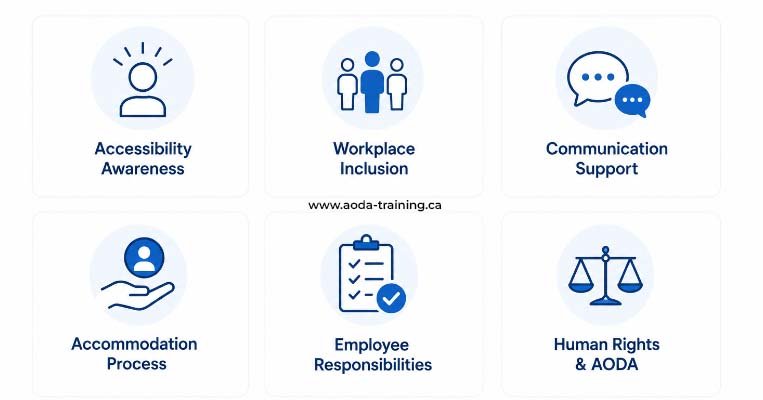
AODA training is most effective when it is embedded in your onboarding process as a fixed step — not an optional add-on or something that gets scheduled when someone remembers. Here is what a compliant onboarding timeline looks like.
Pre-boarding training assign (recommended)
- Assign AODA training course via your training platform
- Send welcome email with course link and completion deadline (day 1 or 2)
- Include a link to the organization's accessibility policy document
Core AODA training completion
- New employee completes Customer Service Standard training
- New employee reviews the organization's accessibility policy
- Completion certificate generated and saved to training records
- Manager confirms training complete in onboarding checklist
IASR training and role-specific content
- New employee completes IASR overview training
- Role-specific module assigned and completed (manager, digital, or HR variant)
- Ontario Human Rights Code content covered as part of IASR training
Policy confirmation and manager briefing
- New employee signs policy acknowledgement form
- Manager covers any site-specific accessibility practices not in the course
- New employee knows how to log and respond to customer accessibility feedback
- For new managers: Employment Standard briefing with HR if not covered in course
Records and refresh triggers
- Training completion record filed in HR system or training log
- Flag to re-deliver training if accessibility policies change
- For managers: refresh when new accommodation responsibilities added to role
What records to keep for new employee training
Training records for new employees are part of the same compliance documentation that applies to all staff. For organizations with 50 or more employees, training records are legally required. For all others, they are strongly recommended — they are the primary evidence of compliance in any enforcement context.
Common AODA onboarding gaps and how to close them
The same gaps appear repeatedly across Ontario organizations when it comes to new employee AODA training.
| Gap | How common | The fix |
|---|---|---|
| Training assigned but never completed — no follow-up mechanism | Very common | Set training as a blocker in your onboarding checklist. Manager confirms completion before signing off on day-one onboarding. Use a platform that sends automatic reminders. |
| Generic training completed but no policy-specific content covered | Common | Add your accessibility policy to the course, or require a signed policy acknowledgement as a separate onboarding step. Either satisfies the requirement. |
| Role-specific content not assigned — managers and digital staff receive the same course as frontline staff | Common | Configure your platform to assign role-specific modules automatically by job title, or manually assign the additional module alongside the standard course. |
| No record kept — training happened but there is no documentation | Common (especially small businesses) | Use a platform that generates records automatically. If using free training, create a simple log spreadsheet and fill it in the same day. |
| Training delivered in week three or four rather than day one | Common where onboarding is informal | Send the training link with the job offer so it can be completed before the start date. |
| Previous employer's training counted without checking policy coverage | Occasional | Previous training will not include your organization's policies. Deliver a policy briefing at minimum, or require full training regardless of prior completion. |
Building AODA training into your onboarding checklist
The most durable fix for onboarding gaps is to embed training into your existing onboarding process as a mandatory step. Here is what that looks like in practice.
- › Job offer sent — include AODA training link and request completion before start date
- › Day 1: confirm Customer Service Standard training completed and certificate saved
- › Day 1–2: confirm IASR training completed (role-specific module if applicable)
- › Week 1: confirm accessibility policy reviewed and acknowledgement signed
- › Record filed: training log updated with name, course, date, certificate reference
- › Role change: confirm role-specific module updated if new obligations apply
AODA Training Guide — all 14 cluster pages
This is the final cluster page in the AODA Training Guide. Here is the complete set of pages in this pillar:
| # | Cluster page | URL |
|---|---|---|
| 01 | What Is AODA? | /what-is-aoda |
| 02 | Who Needs AODA Training? | /who-needs-aoda-training |
| 03 | AODA Training Requirements | /aoda-training-requirements |
| 04 | Free vs Paid AODA Training | /free-vs-paid-aoda-training |
| 05 | AODA Certification: How Long Does It Last? | /aoda-certification-duration |
| 06 | Customer Service Standard Training | /aoda-customer-service-training |
| 07 | IASR Training Guide | /iasr-training |
| 08 | AODA Employment Standard | /aoda-employment-standard |
| 09 | AODA Information & Communications Training | /aoda-information-communications-training |
| 10 | AODA Training Deadlines & Fines | /aoda-training-deadlines |
| 11 | AODA Compliance Checklist | /aoda-compliance-checklist |
| 12 | AODA Training for Small Businesses | /aoda-training-small-business |
| 13 | AODA Training for Managers | /aoda-training-managers |
| 14 | AODA Training for New Employees ← You are here | /aoda-training-new-employees |
Frequently asked questions
When exactly does AODA training have to happen for a new employee?
- Both the Customer Service Standard and the IASR require training “as soon as practicable” after duties are assigned. For most roles, day one or day two. The safest approach: send the training link with the job offer so the employee can complete it before their start date.
Does a new employee need training before interacting with customers?
- Ideally yes. An employee who interacts with customers before receiving training is working in a period of non-compliance. Build training into the first morning of onboarding, or complete it before the start date. If a customer interaction goes wrong with an untrained employee, the organization has both an AODA gap and potential Human Rights Code exposure.
Can a new employee's previous AODA training count?
- Partially. Prior training demonstrates familiarity with the Customer Service Standard and IASR. But it will not include your organization’s specific policies, which are a required component. At minimum, provide a policy briefing and have the employee acknowledge it. For most organizations, delivering full training regardless of prior completion is the cleaner, more defensible approach.
What if a new employee starts before the training platform is set up?
- Use the government’s free AccessForward programme at accessforward.ca immediately. It covers the Customer Service Standard, takes under an hour, and generates a certificate. Supplement with a policy document review. This satisfies the core requirement and buys time to set up a full platform without creating a compliance gap.
Do remote employees need AODA training on the same timeline as office employees?
- Yes. Remote employees have the same obligation and the same timing applies. Online training is the natural delivery method for remote staff — assign it digitally on the same basis as any other onboarding task.
What should I do if a new employee refuses to complete AODA training?
- AODA training is a legal obligation on the employer, not an optional benefit. Address refusal through your normal performance and conduct process in the same way as any other mandatory workplace training. Document that training was assigned and the employee declined — this demonstrates the organization met its obligation to provide training even where the employee did not complete it.
Empower Your Team with Digital Accessibility
Ensure compliance, reduce legal risks, and build inclusive digital experiences.
Start AODA training for your team →Make AODA training part of every hire from day one
The easiest way to stay compliant as your team grows is to make AODA training a non-negotiable onboarding step — assigned with the job offer, completed by day one, recorded automatically.
- All-staff course: Customer Service Standard + IASR + Human Rights Code content
- Your organization's accessibility policies embedded in the course
- Automatic completion certificates — dated and downloadable
- Training records exportable for compliance report and audit purposes
- Role-specific modules: manager, digital/content, HR — assigned by job title
- Pre-boarding assign: send training link with the job offer
- Employer dashboard: see every new hire's completion status at a glance
- Trigger-based refresh: flag re-training when policies change