
- What Is WCAG
- Website Accessibility
What Is WCAG? A Plain-Language Guide for Ontario Businesses
WCAG — Web Content Accessibility Guidelines — is the international standard that defines what it means for a website to be accessible. For Ontario businesses, it matters because AODA requires websites to meet WCAG 2.0 Level AA. This guide explains exactly what that means, without jargon.
Quantity Discounts
Price per course
6 to 20 courses
$20.95
21 to 50 courses
$17.95
51 to 200 courses
$13.95
201+ courses
Custom offer
WCAG stands for Web Content Accessibility Guidelines. It is an international standard that defines what it means for a website to be accessible to people with disabilities. For Ontario businesses, it matters because provincial law — the Accessibility for Ontarians with Disabilities Act — requires websites to meet WCAG 2.0 Level AA. If someone has told you your website needs to be WCAG compliant, this guide explains what that means in plain language.
WCAG is published by the World Wide Web Consortium (W3C), the international body that sets web standards. It is not a Canadian or Ontario-specific document — it is used globally as the benchmark for accessible web content. Ontario’s AODA adopted it as its technical standard because it is the most comprehensive and widely recognized framework for web accessibility that exists.
WCAG itself is not a law. It is a technical specification published by an international standards body. What makes it legally significant for Ontario organizations is that AODA's Information and Communications Standard incorporates WCAG 2.0 Level AA by reference — making it the legal benchmark your website must meet. The law is AODA; the technical yardstick the law uses is WCAG.
Who created WCAG and why
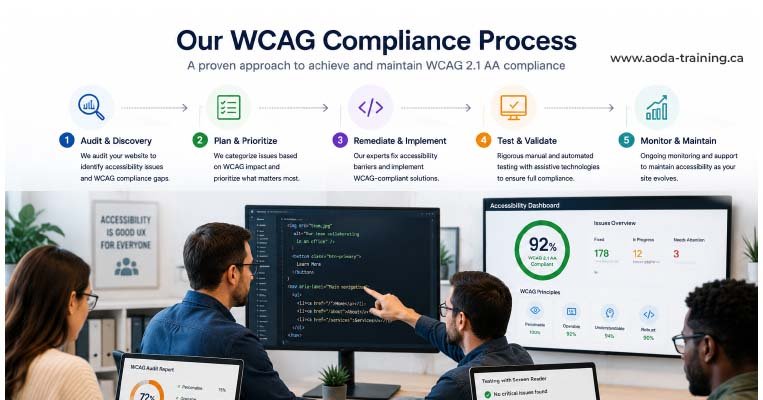
The Web Content Accessibility Guidelines were first published in 1999 by W3C’s Web Accessibility Initiative (WAI). The goal was to create a single, testable international standard that governments, organizations, and developers could use to evaluate and improve web accessibility.
WCAG 2.0 was published in 2008 and became the global reference point. It was designed to be technology-neutral — the guidelines apply to HTML, CSS, JavaScript, PDFs, and any web-based content regardless of the platform or programming language used to create it.
The three WCAG conformance levels: A, AA, and AAA
WCAG organizes its success criteria into three levels of conformance. Each level builds on the previous one.
| Level | What it represents | AODA requirement? | Practical reality |
|---|---|---|---|
| Level A | Minimum accessibility. Addresses the most fundamental barriers — issues that make content completely inaccessible to some users. | Yes — Level AA includes all Level A criteria | A site that only meets Level A still has significant barriers. Meeting Level A alone is not sufficient for AODA compliance. |
| Level AA | Standard accessibility. Addresses the most significant remaining barriers after Level A. The level at which most organizations can realistically achieve compliance. | Yes — this is what AODA requires | The practical target for all Ontario websites. Meeting Level AA means meeting all 38 Level A and AA criteria combined. |
| Level AAA | Enhanced accessibility. The most specific and demanding requirements. Not all content can meet Level AAA. | No — AODA does not require Level AAA | W3C itself recommends not requiring Level AAA as a general policy, as it is not achievable for all content. |
The most important WCAG 2.0 Level AA criteria in plain language
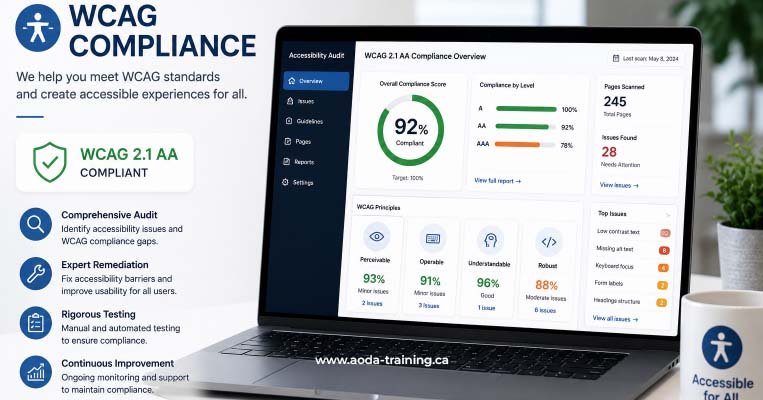
WCAG 2.0 has 25 Level A criteria and 13 additional Level AA criteria — 38 in total. Here are the most commonly tested and most frequently failed, written in plain language with real pass/fail examples.
Perceivable: content users can sense
Operable: interface users can control
Understandable: content and behaviour users can predict
Robust: code assistive technologies can interpret
How WCAG connects to AODA: four common misconceptions
Our website accessibility services cover the full compliance journey — from initial assessment through remediation, testing, and ongoing monitoring. Each service is scoped to your organization’s size, technology, and compliance timeline.
| Misconception | The reality |
|---|---|
| "If we meet WCAG, we are AODA compliant." | WCAG addresses your website obligations under the Information and Communications Standard. Full AODA compliance also requires staff training, accessible policies, employment practices, and accessible formats on request. WCAG is one component of AODA, not the whole of it. |
| "WCAG is optional — it is just a guideline." | WCAG is a guideline document, but AODA makes it a legal requirement for Ontario websites. Calling it optional because it has "guidelines" in the name misunderstands the legal structure. The law requires it. |
| "We have a high Lighthouse score, so we are WCAG compliant." | Google Lighthouse uses a subset of WCAG checks to generate a score. A score of 95/100 does not mean WCAG 2.0 Level AA compliance. Manual testing and screen reader evaluation are required for a genuine compliance assessment. |
| "Our overlay tool makes us WCAG compliant." | Accessibility overlay products do not produce WCAG compliance. They have been widely rejected by accessibility specialists and disabled users. Genuine compliance requires fixing the underlying code and content. |
Who in your organization needs to understand WCAG
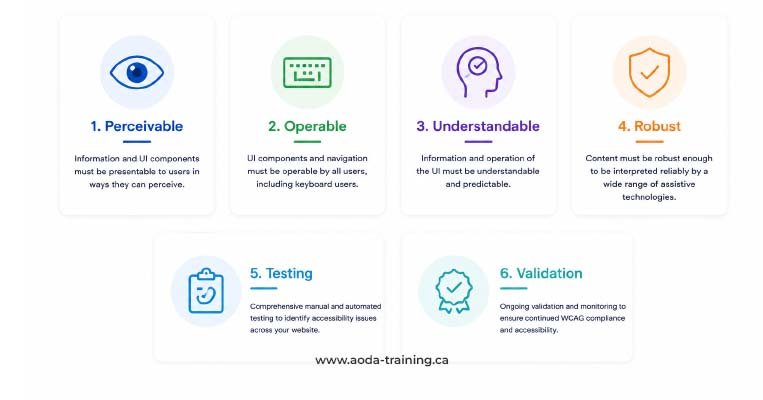
WCAG is not just for web developers. Different roles need different levels of understanding to keep a website accessible as it evolves.
| Role | What they need to know |
|---|---|
| Web developers and front-end engineers | All 38 Level AA criteria in technical detail — how to implement them in HTML, CSS, ARIA, and JavaScript, and how to test using axe, NVDA, and keyboard navigation. |
| UX and visual designers | Colour contrast requirements, focus indicator design, touch target sizing, accessible component patterns, and how to annotate designs for accessible implementation. |
| Content writers and editors | How to write alt text, use heading structure correctly, write descriptive link text, create accessible documents, and produce accurate captions for video content. |
| Marketing and communications managers | What WCAG requires for campaign content, email marketing, social media, and digital advertising — enough to brief and approve content correctly. |
| Senior management and directors | What WCAG 2.0 Level AA compliance requires at an organizational level, the legal risk of non-compliance, and how to resource a compliance programme appropriately. |
Frequently asked questions
What does WCAG stand for?
- WCAG stands for Web Content Accessibility Guidelines. It is pronounced “wuh-kag” by most accessibility professionals. It is published by the World Wide Web Consortium (W3C) and is the international standard for web accessibility used by governments, organizations, and developers worldwide.
What is the difference between WCAG 2.0 and WCAG 2.1?
- WCAG 2.1 adds 17 new success criteria to the 38 in WCAG 2.0, addressing mobile accessibility, users with low vision, and users with cognitive disabilities. WCAG 2.0 Level AA is the current legal requirement under Ontario’s AODA. WCAG 2.1 Level AA is not yet legally required in Ontario, but organizations building or redesigning websites should target it now to be ready when the standard updates.
How many criteria are in WCAG 2.0 Level AA?
- WCAG 2.0 Level AA has 38 success criteria in total — 25 at Level A and 13 additional criteria at Level AA. To be WCAG 2.0 Level AA compliant, your website must meet all 38 on each page being evaluated. There is no partial conformance.
Is WCAG the same as Section 508?
- No. Section 508 is a US federal law requiring federal agencies and federally funded organizations to make digital content accessible. It references WCAG 2.0 Level AA as its technical standard. AODA is Ontario’s provincial law. Both point to WCAG 2.0 Level AA, but they are different legal frameworks in different jurisdictions. If your organization operates in both Canada and the United States, you may have obligations under both.
Can a website with a good design still fail WCAG?
- Yes, frequently. WCAG compliance is about technical implementation and content quality, not visual design. A beautifully designed website can fail dozens of WCAG criteria. A visually striking site with low-contrast text fails 1.4.3. A modern UI with smooth animations but no keyboard support fails 2.1.1. A polished form with placeholder text but no persistent labels fails 3.3.2. Good design and WCAG compliance are compatible — but one does not guarantee the other.
Does WCAG apply to mobile websites?
- Yes. WCAG 2.0 applies to web-based content including mobile-optimized websites. Native mobile applications downloaded from an app store are not explicitly covered by WCAG 2.0, though WCAG 2.1 addresses mobile web accessibility more thoroughly. Ontario’s AODA covers ‘internet websites and web content,’ which includes mobile-responsive websites.
Empower Your Team with Digital Accessibility
Ensure compliance, reduce legal risks, and build inclusive digital experiences.
Start AODA training for your team →Find out whether your website meets WCAG 2.0 Level AA
Understanding WCAG is the first step. Knowing whether your specific website meets it requires testing. Our WCAG compliance audit covers automated scanning, manual testing by a trained specialist, and screen reader evaluation — giving you a complete, prioritized picture of where your site stands.
- Automated scanning with axe DevTools and WAVE across all key pages
- Screen reader testing with NVDA + Firefox (Windows) and VoiceOver + Safari (macOS and iOS)
- Prioritized report: WCAG criterion, severity, location, screenshot, and code-level fix for every issue
- Manual testing of all 38 WCAG 2.0 Level AA criteria by an accessibility specialist
- Keyboard navigation testing across all interactive elements and user journeys
- Remediation roadmap so your team knows where to start